An ELO is quick to make once you have the right references in front of you. Collecting those references is the slow part, so this guide starts with them.
The ELO (Enveloppe Logistique Obligatoire) is French customs' barcode for the Channel crossings. It has been mandatory since 20 April 2026 for every lorry between Great Britain and France, in both directions. If you want to know what happens without one, read What happens if your lorry reaches Calais without an ELO?
Everything below comes from French customs' own ELO page and user guide (September 2026 edition).
Who creates it?
Anyone in the chain who can gather the references: the haulier, the forwarder or the customs agent. French customs asks for one person per crossing, chosen between you. The holder of the account is responsible for every ELO made with it.
Before you start: what goes in
What you need depends on the direction and the load.
| Your lorry | What the ELO needs |
|---|---|
| GB to France, loaded | An ICS2 ENS, plus the import or transit reference |
| GB to France, empty | Nothing |
| GB to France, only empty pallets or packaging | An ICS2 ENS if there's a transport contract (a CMR). Otherwise nothing |
| GB to France, under an ATA or TIR carnet | The same: an ICS2 ENS only if there's a transport contract |
| France to GB, loaded | The export or transit reference |
| France to GB, empty | Nothing |
Three points catch people out:
- The ENS must be an ICS2 one. French customs: "Only ENS ICS2 can be integrated into ELO." A GB ENS is for HMRC and isn't accepted.
- These don't go in at all: the GMR, GB export MRNs, the CMR number, ATA carnet numbers.
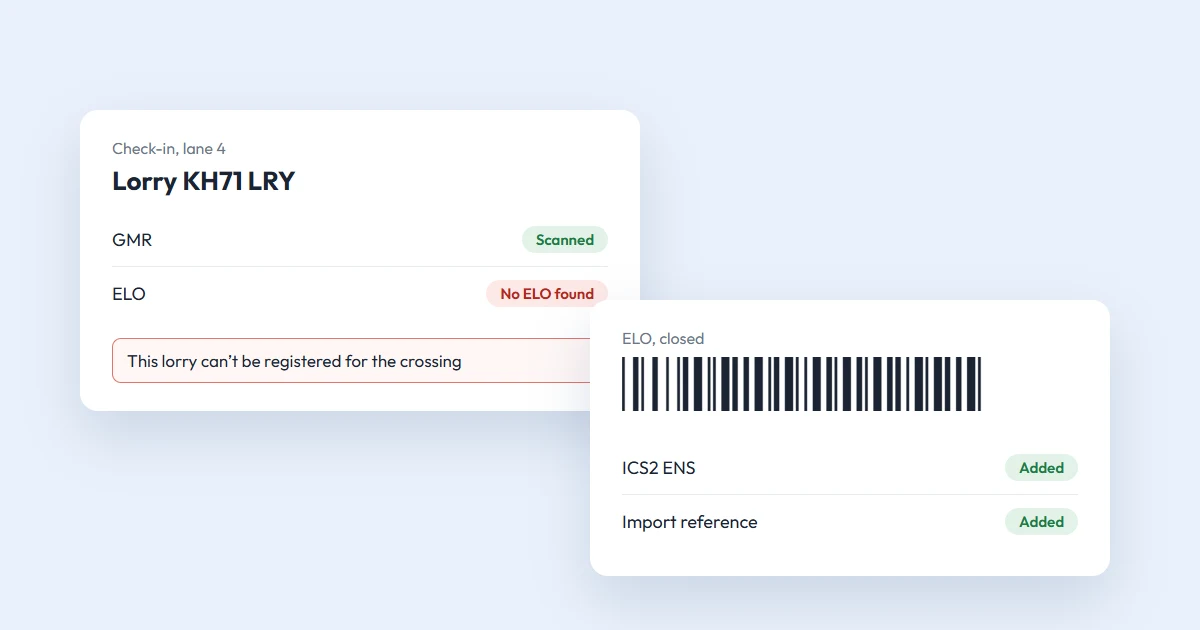
- The number plate isn't typed in. It's read when the barcode is scanned at check-in.
If you don't have the ICS2 ENS yet, file it first. On ENS Ready it's one form, and the MRN arrives on your dashboard and by email. Our guide to submitting an ICS2 declaration shows the form. You'll need an EU EORI for it: here's how to apply for one.
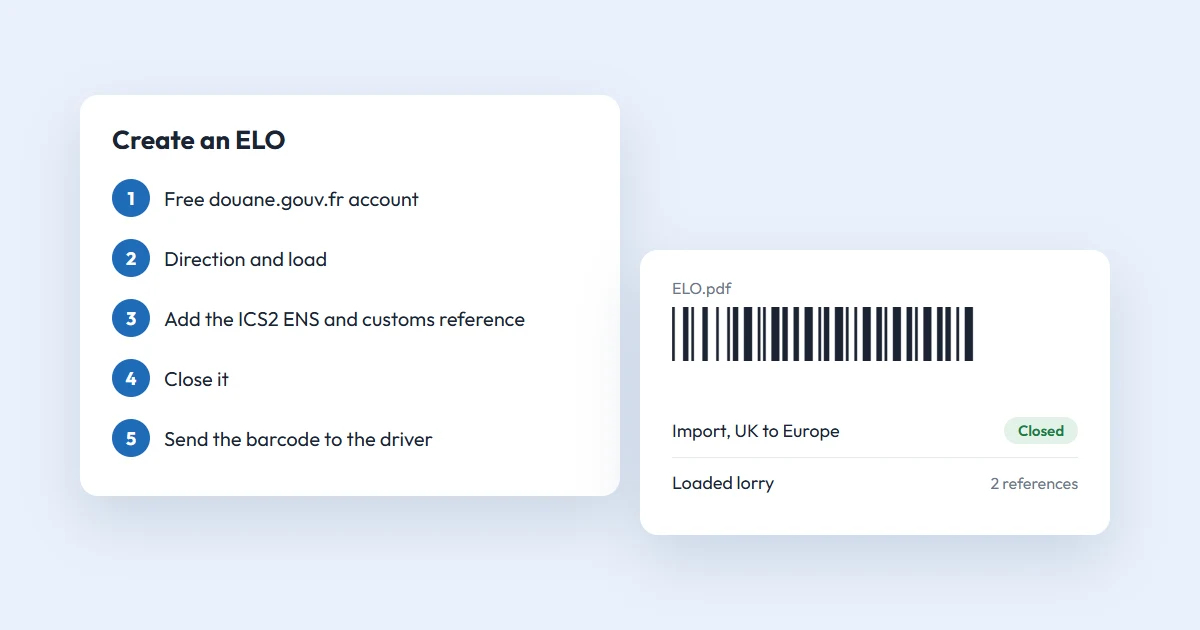
Step 1: Create a douane.gouv.fr account
Go to douane.gouv.fr and click S'inscrire. This page is only in French, but it's short:
- an identifier of 8 to 20 letters and digits;
- a password of at least 8 characters, with a digit, a capital letter and a special character;
- your email address, surname and first name.
Confirm with the link sent to your email. It works for 24 hours. There's no approval to wait for. An EORI or SIRET number is "not mandatory to access the service, but recommended".
A tip from French customs: if you link your company to the account, do it on the French page. With a browser translator switched on, the Confirm button doesn't work.
Step 2: Open the ELO service
Log in and type ELO into the search bar. Open the service (the tile is named ELO_BREXIT). Inside the service you can switch the language to English.
Choose Create an ELO.
Step 3: Choose the direction and the load
- Crossing direction: "Import – From UK to Europe" or "Export – From Europe to UK". You can't change this later, so check it.
- Lorry type: Loaded or Empty. For an empty lorry, skip to step 5.
For a loaded lorry, tick any of these that apply: goods under a TIR or ATA carnet, postal goods (CN label), only pallets or empty packaging, goods under sanitary or phytosanitary rules, fishery products.
Click Validate. Your ELO now exists as a draft.
Step 4: Add your references
On the Declarations management tab, type each reference into the bar and click Add the declaration. Add the ICS2 ENS MRN, then the import, transit or export reference.
Check each one as you type: no spaces, no typos, and the right kind for your direction. Each reference appears in the list below, where you can delete it if it's wrong.
Several consignments on one lorry all go into the same ELO. The driver can only present one.
Step 5: Close the ELO
Click Validate and confirm. French customs now checks each reference: its format, that it matches the direction, and that it exists and is in the right state.
While that runs, the status is "closing in progress" and the ELO can't be changed. Then it's one of two:
- Closed. You're done.
- Incorrect. Delete the reference that failed, add the right one and close again.
Step 6: Send the barcode to the driver
A closed ELO gives you a PDF with a barcode. Download it and send it to the driver. You can find it again later under Manage my ELO.
LeShuttle Freight accepts the barcode "either digitally or paper versions". For a ferry, ask your operator if you're unsure. A printed copy in the cab costs nothing.
Step 7: At the port
The driver shows the ELO at check-in, next to the GMR. The scan links the ELO to the lorry and starts the customs processing.
Going into France, the risk check runs during the crossing. The screens on board tell each driver which lane to take:
- Green: drive off.
- Orange: go to the customs office in the port.
The ELO service doesn't show the lane, so the driver has to watch the screens.
When it goes wrong
- "ENS is unknown": the MRN has a typo, or the ENS was never accepted by ICS2. Check the MRN in your ENS software.
- "You can only enter the ENS created in ICS2": you've typed a GB ENS or another reference.
- The reference is already in another of your ELOs: each one can sit in only one ELO. Delete the old draft.
- The ELO still says "closed" after the crossing: it was never scanned. French customs' answer: "Your truck driver or your crossing company did not scan your ELO."
- Plans changed? An ELO can be edited until it's scanned. It doesn't tie you to a ferry company or a sailing, and an unused one is deleted after 31 days.
For anything else, the Help button inside the service opens a request to French customs, in English or French.
The short version
File the ICS2 ENS, get the import or transit reference, then make the ELO. Do all three before the lorry leaves.
The first of those is what we do. An ICS2 ENS on ENS Ready costs from £0.75 to £4.50 with no subscription. Create a free account and have the MRN ready before you open the ELO.
Questions
Is the ELO free?
Yes. French customs describes ELO as a free online service. You need a personal account on douane.gouv.fr, which is also free and needs no approval.
Do I need an EORI number to create an ELO?
Not for the ELO itself. French customs says linking an EORI or SIRET number to the account is recommended but not mandatory. The ICS2 ENS that goes into a loaded import ELO does need an EU EORI.
Can I change an ELO after creating it?
Yes, until its barcode is scanned at check-in. After the scan it can't be changed. An ELO that is never scanned is deleted automatically after 31 days.
Can I put a GB ENS or a GMR in an ELO?
No. French customs lists the GMR, GB ENS, GB export MRNs, CMR and ATA carnet numbers as references the ELO does not accept. Only an ENS filed in the EU's ICS2 system can be added.